
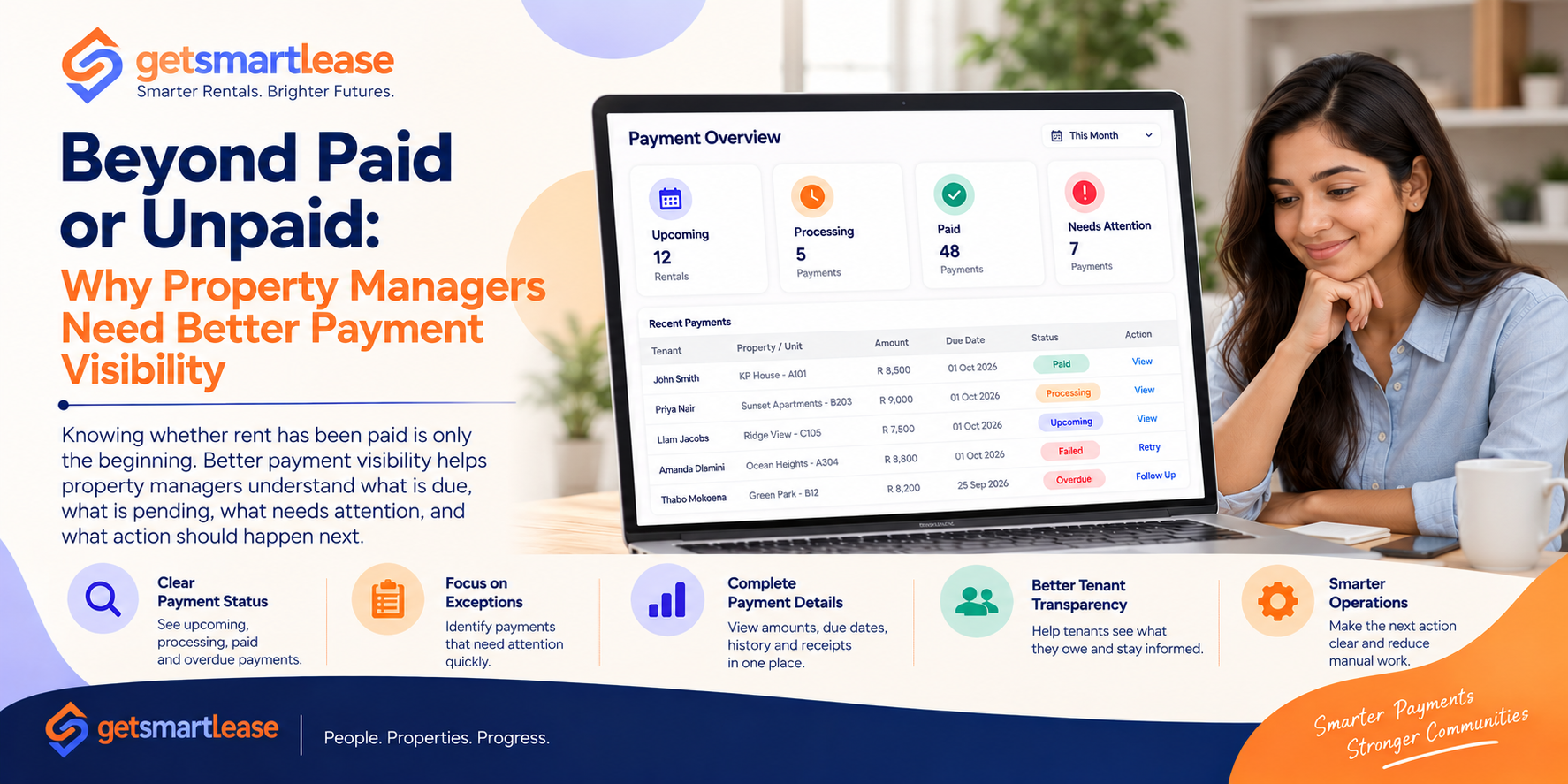
For a long time, rent payment tracking has focused on one simple question:
Has the tenant paid or not?
That information is important, but modern property management requires a much clearer picture.
A payment might have been initiated but still be pending. A tenant may have made a partial payment. A transaction could have failed. A payment might have been received but not yet matched to the correct lease. Another account may already require follow-up.
When all of these situations are reduced to simply paid or unpaid, property teams lose important context.
The next step in Smart Payments is therefore not only making transactions digital.
It's making payment information easier to understand and act on.
The Problem With a Simple Paid/Unpaid View
Imagine a property manager sees 20 unpaid accounts.
At first glance, all 20 appear to require attention.
But the reality could be very different.
Some tenants may have payments currently processing.
Some may have experienced a failed transaction.
Some may be overdue.
Some may have already contacted the property team.
And some may simply have payments due later in the day.
Without additional context, employees have to investigate each account individually before deciding what to do.
Better payment visibility removes some of that guesswork.
1. Payment Status Should Explain What Is Happening
A useful payment status shouldn't only record the final result.
It should help explain where a transaction currently sits in the payment journey.
For example:
Upcoming → Due → Processing → Paid
When something goes wrong:
Due → Failed → Retry Required
When no payment arrives:
Due → Overdue → Follow-Up Required
These statuses immediately provide more information than a simple paid/unpaid indicator.
More importantly, they help teams understand what should happen next.
2. Show the Information Behind the Status
A status becomes much more useful when the supporting information is easy to access.
Property managers may need to see:
Tenant name
Property and unit
Amount due
Due date
Amount received
Transaction date
Current payment status
Invoice
Receipt
Previous payment activity
When these details are available together, employees don't need to move between multiple screens, spreadsheets, emails, and bank records just to understand one transaction.
3. Turn Payment Dashboards Into Action Dashboards
Many dashboards are good at showing numbers.
For example:
Total Expected: R120,000
Collected: R102,000
Outstanding: R18,000
Those figures are useful, but they don't necessarily tell a property manager what to do next.
A more actionable dashboard could also show:
5 payments overdue
2 payments failed
3 payments processing
1 payment requires investigation
Now the dashboard isn't simply reporting what happened.
It's helping the property team decide where attention is required.
4. Separate Normal Payments From Exceptions
Most successful payments don't need human intervention.
Once a payment is completed correctly, the status can update, the receipt can become available, and the transaction can be added to the payment history.
The property team doesn't need to do anything.
The real work usually exists in the exceptions.
For example:
Failed transactions
Overdue payments
Incorrect amounts
Unmatched payments
Missing references
Repeated payment attempts
A smarter payment view should make these exceptions easy to identify.
Instead of reviewing every transaction, employees can focus on the smaller number that actually need attention.
5. Make Outstanding Balances Easy to Understand
An outstanding balance should never require a lengthy investigation.
Property managers should be able to quickly understand:
What was originally due?
What has already been paid?
What remains outstanding?
When was it due?
Has any action already been taken?
This becomes especially important when payments involve deposits, rent, fees, adjustments, or multiple transactions.
Clear balance information reduces confusion for both employees and tenants.
6. Give Tenants the Same Clarity
Payment visibility shouldn't stop with the property manager.
Tenants also benefit when they can easily see their financial position.
A tenant payment view might answer:
Next payment: R8,500
Due: 1 November
Status: Upcoming
Previous payment: Paid
Receipt: Available
If something requires attention:
Payment status: Failed
Action: Retry payment
When tenants can understand their account without contacting the property manager, routine support requests can decrease.
7. Connect Payment Visibility With Communication
Payment information becomes even more powerful when it drives communication.
For example:
Payment approaching → Send reminder
Payment received → Send confirmation
Payment failed → Provide retry instructions
Payment overdue → Begin follow-up
Payment completed → Stop outstanding reminders
This ensures communication reflects what is actually happening with the payment.
It also helps prevent situations where tenants receive irrelevant reminders after an issue has already been resolved.
8. Preserve the Payment Timeline
A single payment status shows what is happening now.
A payment timeline shows how the transaction reached that point.
For example:
28 Sep — Invoice created
29 Sep — Reminder sent
1 Oct — Payment due
1 Oct — Payment initiated
1 Oct — Payment successful
1 Oct — Receipt generated
If a question arises later, employees can see the history without reconstructing events manually.
This can make payment enquiries and investigations significantly easier to handle.
9. Use Visibility Across the Portfolio
Payment visibility becomes even more valuable at portfolio level.
Property managers can look beyond individual transactions and understand broader patterns.
For example:
Total expected rent
Total collected
Outstanding amount
Number of overdue accounts
Failed transactions
Collection progress by property
Payments requiring attention
This allows teams to move between two useful perspectives:
Portfolio overview → Individual transaction detail
Managers can see the bigger picture while still being able to investigate specific issues.
10. Make the Next Action Obvious
The most useful payment system doesn't simply tell employees what happened.
It helps them understand what should happen next.
Instead of:
Payment: Unpaid
A smarter workflow might show:
Payment: Failed
Next action: Tenant retry required
Or:
Payment: Overdue
Next action: Follow-up required
Or:
Payment: Processing
Next action: No action required
That distinction matters.
Without it, employees may waste time investigating transactions that are already progressing normally.
From Payment Tracking to Payment Intelligence
Traditional payment tracking answers:
Has the tenant paid?
Smart payment visibility answers much more:
What is due?
What has been received?
What is currently happening?
Is there a problem?
Does anyone need to take action?
What should happen next?
That is the difference between simply recording payments and using payment information to improve operations.
Final Thoughts
Property managers don't necessarily need more payment data.
They need clearer payment information.
When transaction status, balances, tenant details, payment history, and required actions are connected, teams can spend less time investigating and more time resolving the situations that actually need attention.
Tenants benefit too, because they gain a clearer understanding of what they owe, what they've paid, and whether anything requires action.
Smart Payments shouldn't stop at moving money digitally.
They should make the entire payment journey visible.
Because knowing whether rent was paid is useful. Knowing exactly what is happening—and what should happen next—is smarter.